I Built an AI-Powered TTRPG Adventure Generator (Because Generic Hallucinations Are Boring)

I grew up reading the gripping and petrifying narratives of R.L. Stine and spending way too much time playing story-driven video games. Now that I'm older, I've gotten into the TTRPG space because it hits a certain je ne sais quoi that tickles my lizard brain.
I've also found that I'm not as good at coming up with ideas for adventures as I used to be. For anyone who has ever sat behind you laptop screen and keyboard, staring into the blinking cursor, you know the struggle: you have a cool concept, like "a Cyberpunk heist in a floating city," but when you try to flesh it out, you hit a wall.
Naturally, we now can turn to AI for help. But here's the problem: standard LLMs are great at hallucinating generic tropes. You ask for a "scary forest," and you get the same old "twisted trees and whispering winds." It lacks soul. It lacks... planning.
I wanted a tool that didn't just make things up but actually researched real-world lore, wikis, what other people have done, and forums to generate grounded, creative adventures. So, in true developer fashion, I stopped prepping a campaign and spent the weekend building a tool to do it for me.
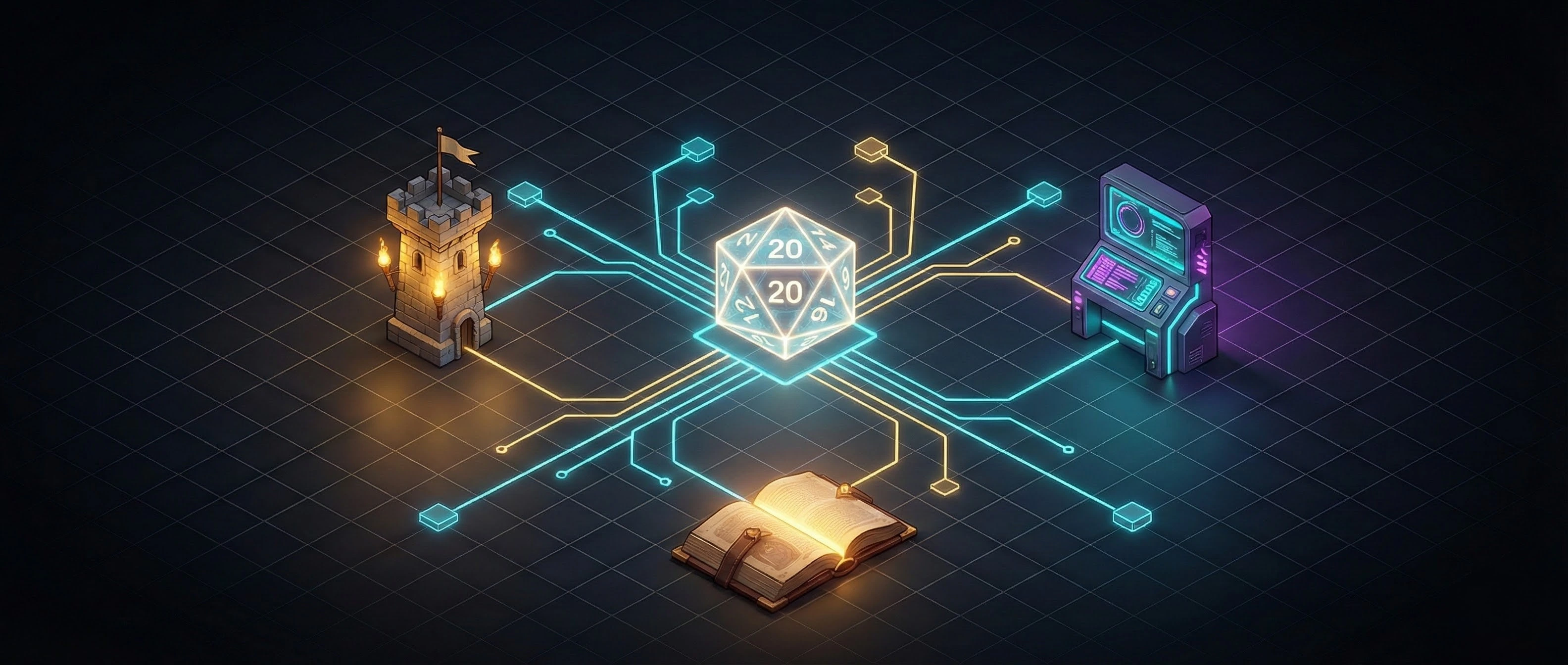
Meet Adventure Weaver, an application built with Exa that helps TTRPG Game Masters, and writers in general, overcome their writer's block by turning the entire internet into a procedurally generated library of inspiration.
The "Research-then-Generate" Workflow
Unlike a standard chatbot that just spits out text, we are going to build something sophisticated. Our app follows a "Research-then-Generate" workflow:
- User Prompt: You describe the vibe (e.g., "A city built on the back of a dying god").
- The Agent: We dispatch an AI agent via Exa. It doesn't just search for keywords; it understands concepts.
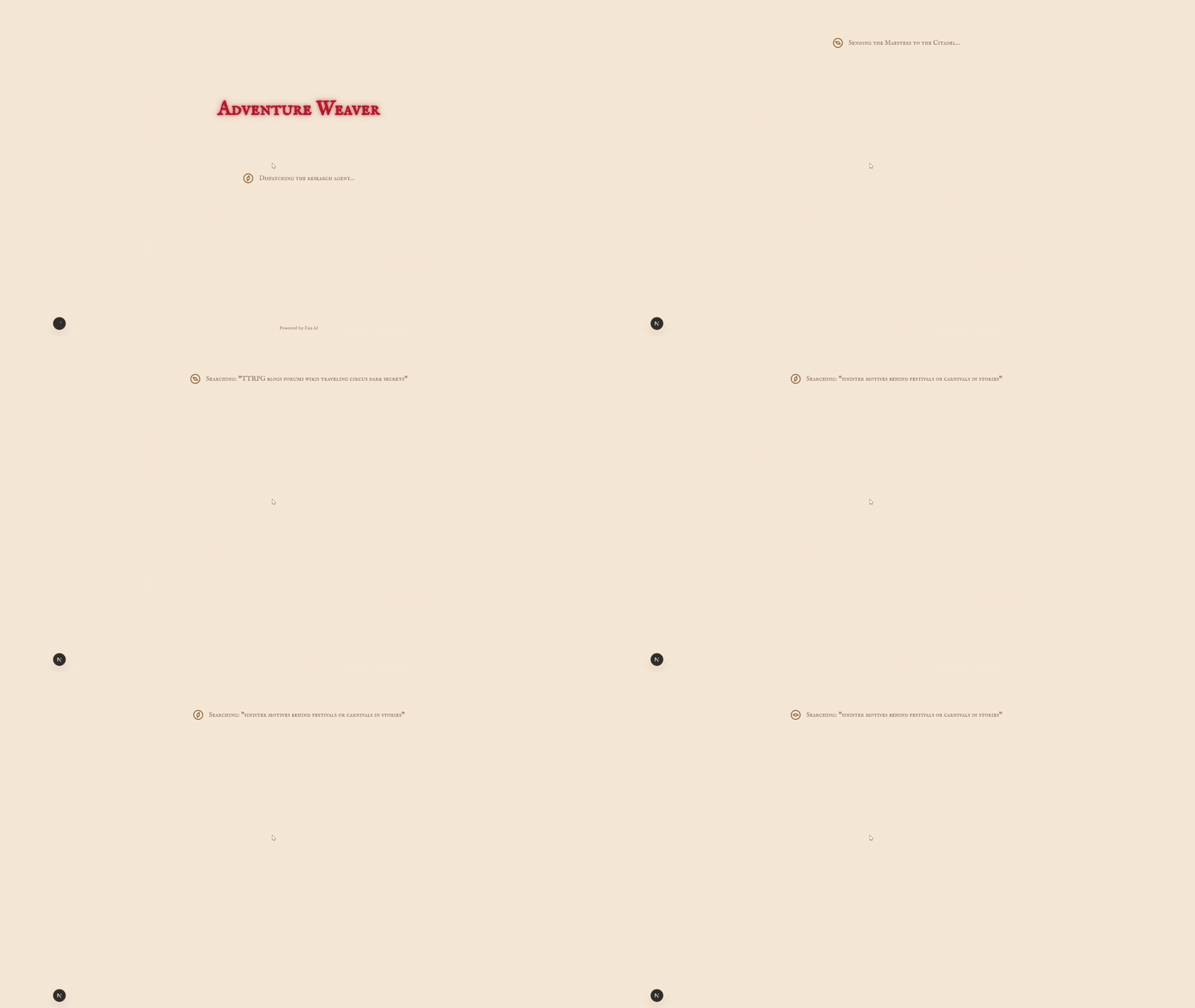
- Streaming Updates: We stream the agent's actions ("Crawling wiki...", "Reading blog...") to the user in realtime, because loading spinners are boring.
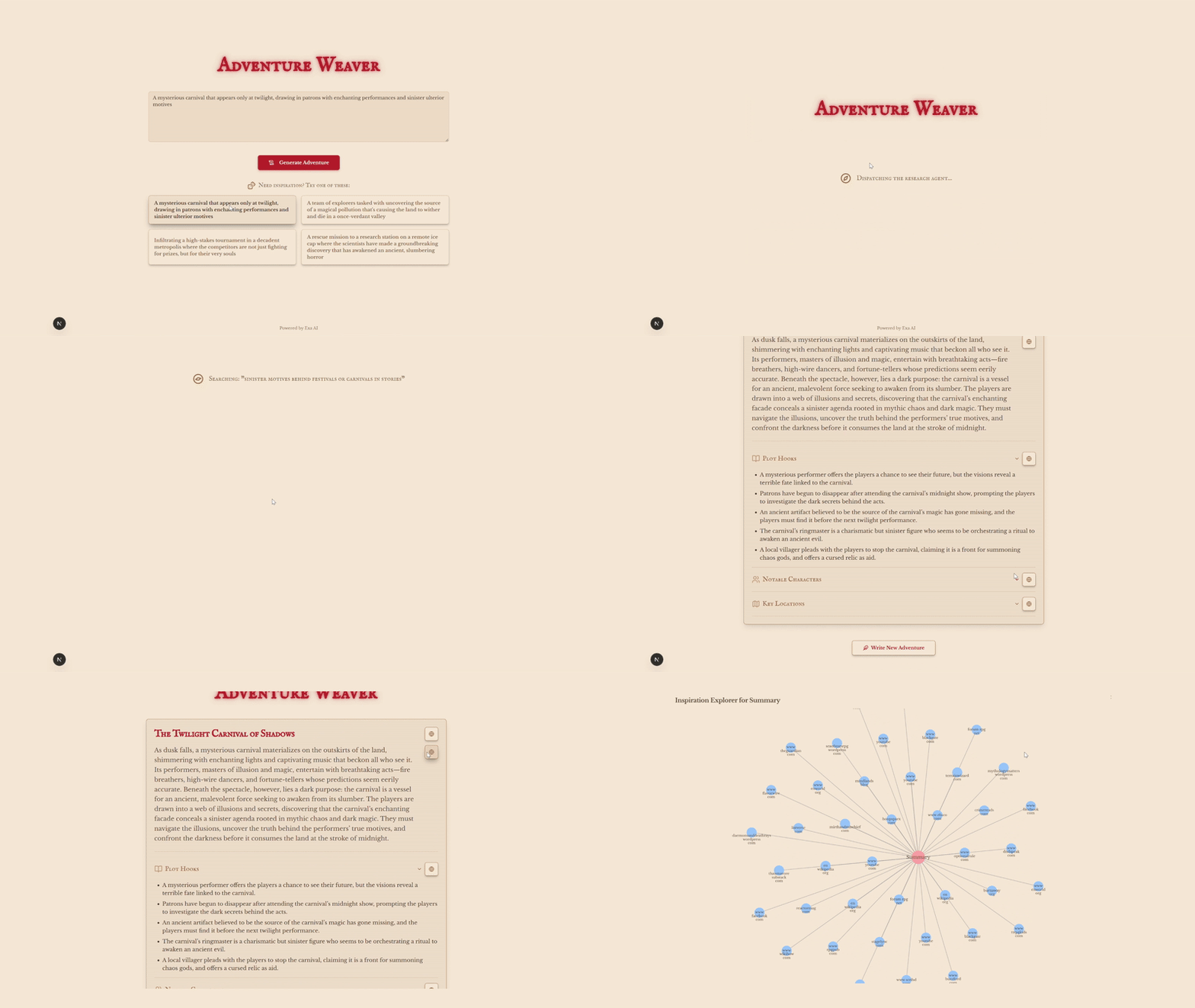
- Inspiration Graph: We visualize the web of inspiration using D3.js, so you can see exactly where that creepy villain idea came from.
Here is how I built it, and how you can get it running on your machine right now.
The Stack
We are keeping it modern and fast:
- Next.js: The framework for production.
- Exa: The search engine made for AIs that powers our research.
- Tailwind CSS: Because I don't want to spend 3 hours centering a div.
- D3.js: For that "exploration board" visualization.
Step 1: Defining the Adventure Schema
To ensure the AI gives us usable data (and not just a wall of text), we need to define a strict JSON schema. This acts as a contract, telling the AI exactly what fields we need: titles, plot hooks, NPCs, and locations.
// src/app/api/generate/route.ts
const adventureSchema = {
  type: 'object',
  required: ['adventure_title', 'summary', 'plot_hooks', 'npcs', 'locations'],
  properties: {
    adventure_title: {type: 'string'},
    summary: {type: 'string'},
    plot_hooks: {type: 'array', items: {type: 'string'}},
    npcs: {
      type: 'array',
      items: {
        type: 'object',
        properties: {name: {type: 'string'}, description: {type: 'string'}},
        required: ['name', 'description'],
      },
    },
    locations: {
      type: 'array',
      items: {
        type: 'object',
        properties: {name: {type: 'string'}, description: {type: 'string'}},
        required: ['name', 'description'],
      },
    },
  },
};
Step 2: The "Secret Sauce" (Exa)
This is where the magic happens. We aren't just matching strings; we are doing Neural Search.
If you search for "realistic dragon biology" on a normal engine, you might get a movie listicle. Exa's neural model understands you are looking for speculative biology and can find niche blog posts or StackExchange threads that discuss the actual physics of fire-breathing.
We create an API route to kick off the research. Note that we aren't awaiting the result here because research takes time! We start it and return a taskId immediately.
// src/app/api/generate/route.ts
import Exa from 'exa-js';
import {NextRequest, NextResponse} from 'next/server';

const exa = new Exa(process.env.EXA_API_KEY);

// ... adventureSchema definition ...

export async function POST(req: NextRequest) {
  const {prompt} = await req.json();

  const instructions = `You are a creative assistant for a TTRPG Game Master.
  Use the user's prompt to find ideas from blogs, forums, and wikis to generate a compelling adventure.
  Please generate a title, a summary, a few plot hooks, some interesting NPCs, and some key locations for the adventure.
  Each one of the story components should be put into their respective schema.
  Something like the summary should not have the title, plot hooks, NPCs, etc... Those should be in their own schemas.
  For context, here is the user's prompt: ${prompt}`;

  // Create the research task, but don't wait for it to complete.
  const researchTask = await exa.research.create({
    instructions,
    outputSchema: adventureSchema,
  });

  // Immediately return the task ID to the client.
  return NextResponse.json({taskId: researchTask.researchId});
}
Step 3: Streaming the "Vibes"
Waiting 30 seconds for a response feels like an eternity. To fix this, we use Server-Sent Events (SSE) to stream the agent's progress.
Fun fact! Did you know eBay uses Server-Sent events to countdown those final seconds before a sale ends?
This endpoint listens to the task stream. When Exa says "I'm searching for medieval castles," we push that message to the frontend instantly.
// src/app/api/adventure/[taskId]/route.ts
import Exa from 'exa-js';
import {NextRequest, NextResponse} from 'next/server';

import {CitationProcessor} from '@/lib/citation-processor';

const exa = new Exa(process.env.EXA_API_KEY);

export async function GET(_req: NextRequest, context: any) {
  const taskId = (await context.params).taskId;

  // We'll stream the progress from Exa.
  const stream = new ReadableStream({
    async start(controller) {
      const encoder = new TextEncoder();
      const citationProcessor = new CitationProcessor();
      const taskStream = await exa.research.get(taskId, {stream: true});

      for await (const event of taskStream) {
        citationProcessor.processEvent(event);

        if (
          event.eventType === 'task-operation' ||
          event.eventType === 'plan-operation'
        ) {
          const op = event.data;
          let message: string;
          switch (op.type) {
            case 'search':
              message = `Searching: "${op.query}"`;
              break;
            case 'crawl':
              message = `Crawling: ${new URL(op.result.url).hostname}`;
              break;
            case 'think':
              message = op.content;
              break;
            default:
              message = 'Starting an unknown journey...';
          }
          controller.enqueue(
            encoder.encode(
              `data: ${JSON.stringify({type: 'message', content: message})}\n\n`,
            ),
          );
        } else if (
          event.eventType === 'research-output' &&
          event.output.outputType === 'completed'
        ) {
          const finalResult = event.output;
          const deduplicatedCitations = citationProcessor.getCitations();
          const resultData = {
            ...finalResult.parsed,
            citations: deduplicatedCitations,
          };

          controller.enqueue(
            encoder.encode(
              `data: ${JSON.stringify({type: 'result', content: resultData})}\n\n`,
            ),
          );
          break;
        }
      }
      controller.close();
    },
  });

  return new Response(stream, {
    headers: {
      'Content-Type': 'text/event-stream',
      'Cache-Control': 'no-cache',
      Connection: 'keep-alive',
    },
  });
}
Citation Mapping
One of the coolest things about this setup is citation mapping. We can actually track which specific sub-task (like "Search for NPC names") produced which URL results. This lets us tag the generated NPCs with the actual folklore blog post that inspired them.
// src/lib/citation-processor.ts
export class CitationProcessor {
  private taskIdToSection = new Map<string, string>();
  private citationsBySection: Record<string, Citation[]> = {};

  processEvent(event: any) {
    // 1. Identify which section (NPCs, Plot Hooks, etc.) the agent is working on
    if (event.eventType === 'task-definition') {
      const instructions = event.instructions.toLowerCase();

      if (instructions.includes('npc')) {
         this.taskIdToSection.set(event.taskId, 'npcs');
      }
      // ... map other sections (locations, plot hooks, etc.)
    }
    // 2. Capture search results and assign them to that section
    else if (event.data.type === 'search' && event.data.results) {
      const section = this.taskIdToSection.get(event.taskId);

      if (section) {
        // Add the found URLs to the specific section's citation list
        this.citationsBySection[section].push(...event.data.results);
      }
    }
  }
}
🚀 Quickstart: Run It Locally
Enough theory... Let's get this running on your machine so you can start generating campaigns for your next session!
Prerequisites
You'll need Node.js (v20 or higher) and npm. You will also need an Exa API key (for the research) and an OpenAI API key (or compatible provider) for the generation.
1. Clone the Repository
Open up your terminal and grab the code:
git clone https://github.com/MichaelSolati/adventure-weaver.git
cd adventure-weaver
2. Install Dependencies
Let npm do its thing:
npm install3. Set Up Environment Variables
Create a .env.local file in the root of your project. This keeps your secrets safe. Add your keys here:
EXA_API_KEY=your_exa_api_key_here
LLM_API_KEY=your_openai_api_key_here
LLM_MODEL=gpt-4o  # or your preferred model
4. Run the Development Server
Fire it up!
npm run devNavigate to http://localhost:3000, enter a prompt like "A cyberpunk scorched earth assault to liberate the digital ghost of your former lover from a megacorp's tower," (IYKYK) and watch the magic happen!
Wrapping Up
At the end of the day, the tools we use are just a means to an end. The real magic here is about shifting how we interact with AI. By moving from simple prompting to a "Research-then-Generate" workflow with Exa, we stop the AI from hallucinating generic tropes and start grounding it in actual creativity. It respects the nuance of capturing a specific "vibe," rather than just matching keywords.
The result is richer, grounded content that feels less like a robot wrote it and more like a curated creative work.
If you want to try weaving your own adventures, or if you're thinking, "Show me the code!", you can find the full source code on GitHub.